Server Room Climate Control: Why Precision Matters
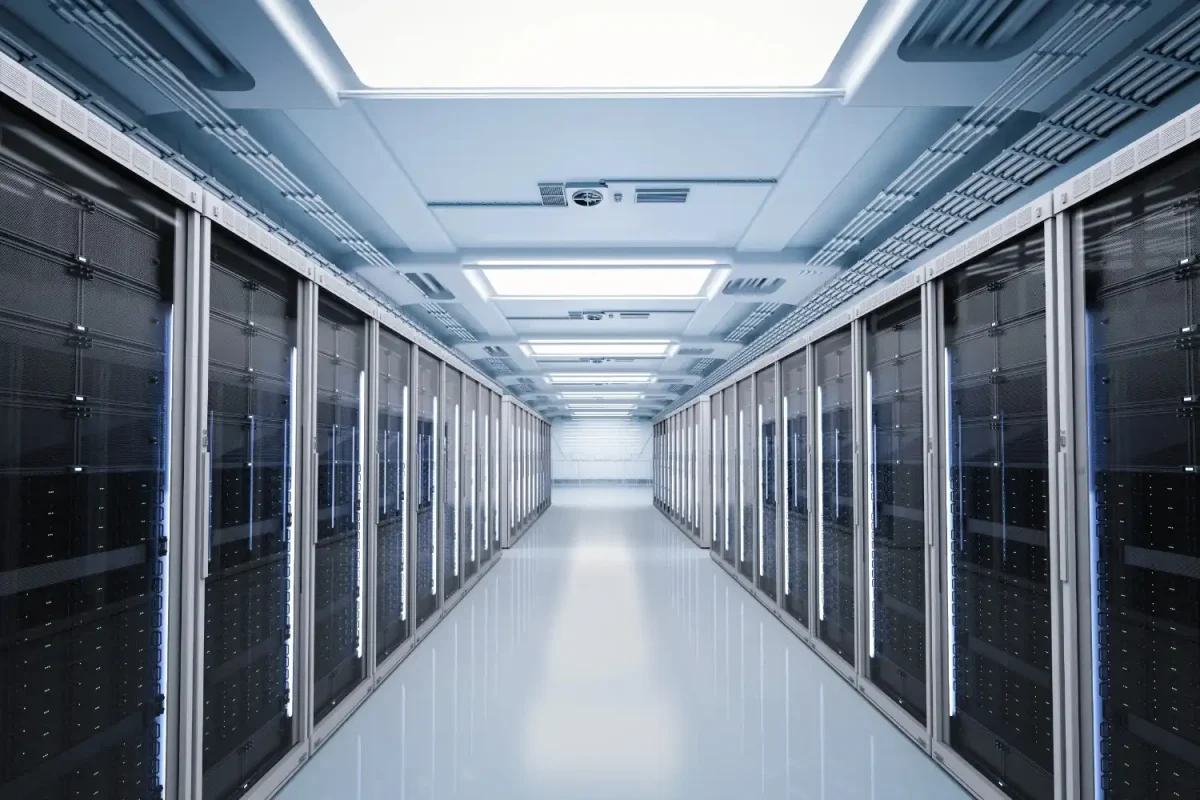
Modern businesses rely heavily on digital infrastructure. From emails and databases to cloud platforms and security systems, servers power daily operations. Yet many companies still treat server rooms like ordinary office spaces when it comes to temperature control.
Unlike human comfort cooling, server environments demand stable and precise climate conditions. Even small fluctuations in temperature or humidity can affect performance, shorten equipment lifespan, and increase the risk of unexpected downtime.
This is why specialised cooling and routine air conditioner maintenance are essential for any organisation operating IT infrastructure.
Why Servers Need Different Cooling Than Offices
People feel comfortable within a wide temperature range. Servers do not. Electronic components generate constant heat and operate best within narrow limits.
Temperature Tolerance Comparison
- Typical office comfort range: 20–24°C
- Typical server operating range: 18–22°C (stable and consistent)
More important than temperature alone is stability. Rapid changes cause expansion and contraction of internal components, increasing wear and failure risk.
The Risks of Improper Server Room Cooling
Poor climate control does not always cause immediate failure. Instead, damage accumulates gradually before a sudden breakdown occurs.
Common consequences
Problem | Result |
Overheating | System shutdowns |
High humidity | Corrosion |
Low humidity | Static discharge |
Temperature fluctuation | Hardware fatigue |
Hot spots | Reduced performance |
Downtime costs businesses far more than the cost of proper cooling.
Hot Spots: The Hidden Threat
Even if the room feels cool overall, certain areas can remain dangerously warm. Servers pull air from specific directions, creating uneven airflow patterns.
Hot spots often occur:
- Behind racks
- Near ceilings
- Between equipment rows
- Around power supplies
Precision airflow distribution is therefore more important than simply lowering the thermostat.
Precision Cooling vs Standard Air Conditioning
Standard office air conditioning cycles on and off to maintain comfort. Server cooling must operate continuously and evenly.
Feature | Comfort Cooling | Precision Cooling |
Temperature tolerance | Wide | Narrow |
Operation cycle | Intermittent | Continuous |
Air distribution | General | Targeted |
Humidity control | Minimal | Controlled |
Systems such as Toshiba Air Conditioning are commonly used in technical environments because they maintain steady output rather than fluctuating cooling.
Why Humidity Control Is Critical in Server Rooms
Temperature is only half the equation. Humidity directly affects electronic reliability.
Too much humidity
- Corrosion of circuits
- Condensation on components
- Short circuits
Too little humidity
- Static electricity buildup
- Electrostatic discharge damage
Maintaining balanced humidity significantly increases equipment lifespan.
Continuous Operation and Backup Planning
Server rooms operate 24/7. Cooling must match this reliability.
Best practice includes:
- Dedicated cooling systems
- Backup units
- Monitoring sensors
- Alarm notifications
Redundancy prevents failure if one unit stops working.
Airflow Management Techniques
Proper cooling design involves guiding air deliberately.
Common methods
- Hot aisle / cold aisle layout
- Raised floors
- Containment panels
- Directed vent placement
These approaches ensure cooled air reaches equipment intake rather than mixing inefficiently.
Monitoring and Maintenance for Climate Stability
Cooling systems gradually lose efficiency without servicing. Filters clog, refrigerant levels drop, and airflow weakens. Regular inspection prevents unexpected shutdowns and keeps the temperature stable.
Maintenance typically includes:
- Filter cleaning
- Refrigerant checks
- Sensor calibration
- Electrical inspection
Preventive maintenance is far less costly than emergency recovery.
The Impact of Overcooling
Many businesses assume that lowering the temperature as much as possible guarantees safety. However, overcooling a server room can create new problems. Extremely low temperatures increase energy consumption unnecessarily and may create condensation risks when warm air enters the space.
Overcooling can also:
- Increase electricity bills significantly
- Cause uneven temperature zones
- Lead to unnecessary strain on cooling systems
- Create humidity imbalance
Precision cooling focuses on maintaining optimal ranges — not simply the coldest possible setting.
The Role of Airflow Design in Rack Efficiency
Server racks are designed for front-to-back airflow. If cooling systems do not align with this design, hot exhaust air may recirculate into equipment intake, reducing efficiency.
Best practices include:
- Aligning vents with server intake direction
- Avoiding obstruction around racks
- Sealing cable gaps that disrupt airflow
- Using blanking panels to prevent air mixing
Small airflow misalignments can create temperature variations that increase hardware stress over time.
Real-Time Environmental Monitoring
Modern server rooms benefit from smart monitoring systems that track:
- Temperature variations
- Humidity levels
- Air pressure
- Power consumption
Alerts can notify IT teams immediately if conditions drift outside acceptable limits. This proactive approach prevents minor fluctuations from turning into system-wide issues.
Monitoring provides data trends that help optimise performance and detect early warning signs of cooling inefficiency.
Planning for Equipment Expansion
IT infrastructure rarely remains static. As businesses grow, additional servers increase heat output. Without scalable cooling design, systems can become overloaded quickly.
When planning server room climate control, consider:
- Future rack expansion
- Increased processing loads
- Higher density equipment
- Additional power requirements
Scalable systems allow businesses to upgrade cooling capacity without full system replacement.
Energy Efficiency and Cost Control
Precise cooling also reduces energy waste. Instead of overcooling the entire space, controlled airflow targets equipment directly.
Benefits include:
- Lower power consumption
- Reduced equipment strain
- Longer hardware lifespan
- Predictable operating costs
Efficient cooling protects both technology and budget.
Understanding Thermal Load Calculations
Effective server room cooling begins with an accurate calculation of thermal loads. Every server, switch, and power supply generates heat. Without proper load assessment, cooling systems may be undersized or oversized, both of which can create problems.
An undersized system struggles to maintain stable temperatures, increasing overheating risks. An oversized system may short-cycle, turning on and off frequently, which reduces efficiency and accelerates component wear.
Thermal planning considers:
- Total equipment wattage
- Room size and insulation
- Rack density
- Lighting heat output
- External temperature exposure
Precise load calculations ensure the cooling system matches real operational demands.
Compliance and Data Protection
Many industries require secure and stable IT infrastructure. Temperature instability can compromise data availability and regulatory compliance.
Reliable climate control supports:
- Business continuity
- Data protection policies
- Operational reliability
Power Outage and Emergency Preparedness
Cooling systems must align with backup power strategies. In the event of a power failure, uncooled servers can overheat within minutes.
Critical environments often use:
- Uninterruptible power supplies (UPS)
- Backup generators
- Secondary cooling redundancy
Maintaining temperature control during outages protects sensitive data and hardware investments.
Final Thoughts
Server rooms demand precision, not comfort cooling. Stable temperature, balanced humidity, and controlled airflow protect equipment and prevent downtime.
Investing in proper climate control and consistent maintenance ensures systems run reliably every hour of every day. For businesses dependent on digital infrastructure, cooling is not a convenience — it is operational protection. When environmental conditions remain stable, servers perform consistently, risks decrease, and operations remain uninterrupted.

Matthew Connery is the Director of Hamilton Air Conditioning in London. He is a skilled Business Strategist who delivers energy-efficient and cost-saving solutions to commercial and domestic clients from leading air conditioning brands.

Related blogs


Brands